It’s a generally known fact that cross-selling helps to increase the income derived from your clients. This selling technique allows you to draw customer’s attention to products that are related to the one he/she is interested in.
We had a great experience of our Magento extensions beta-testing by our community. Right now we are developing a new powerful service and searching for Magento-based store owners to test it. Here is a brief description of our new project.
We detected some phishing web sites tricking you into believing you’re at a legitimate aheadWorks store. Often the web address of a phishing site looks correct but actually misses a letter or contains a common light misspelling.
Please, be attentive when purchasing products! The proper link to our website is https://ecommerce.aheadworks.com.
Inspired with the “The Perfect Customer Lifecycle” white paper from Infusionsoft, I decided to provide you with the simple six steps that act as a framework for developing your sales and marketing process. Don’t miss a chance to increase your sales and get a greater profit. Let’s dig a little deeper into each of the steps.
As usual, I gathered the most interesting events of September in monthly newsletter.
It’s always pleasant to share our experience with the community. This month we prepared a Magento optimization PDF guide based on the information provided by our Lead Developer. The document is in free access for all our readers. Download it now to learn how to optimize Magento performance without any code modifications.
Editor’s Note: This post is provided exclusively for our blog by Matthias Zeis, a Magento Certified web developer who currently works at LimeSoda Interactive Marketing GmbH. Being a huge fan of Magento, he is also a co-organizer of *Magento-Stammtisch (regulars’ table) in Vienna.
Content marketing is a technique of creating relevant and valuable content to attract and engage target audience with the objective of turning even part of this audience into customers.
The more detailed your product or service description is, the higher probability that your visitors find out whether it is the one they are looking for.
The Video Testimonials Magento extension allows you to gain two goals at the same time – make your store pages fresher and more attractive and let your visitors get the information about goods of your store by visual aids. Insert video on product page and allow your customers to upload their own – that will turn the trick.
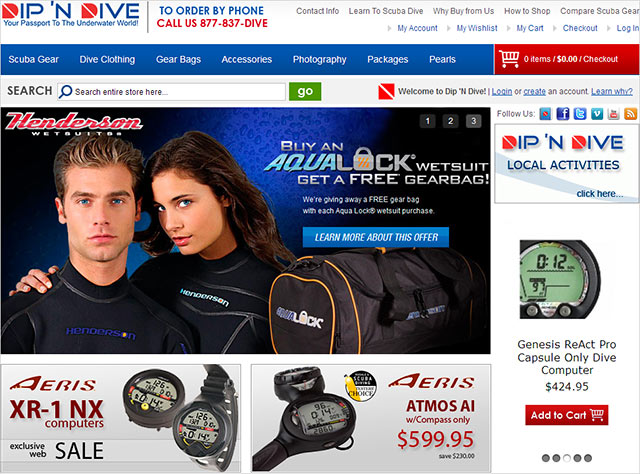
I had a chance to prove the theory that you are just six degrees of separation from anyone in the world recently. Reviewing our customers stores to choose the one for my ‘Store of the Month’ section I stumbled on Dip ‘N Dive.
In this post I’d like to tell you about aheadWorks coupons, discounts and loyalty program and how you can get a significant discount even in your first order.